Best VR Headset for Motion Sickness: Quest 3 vs PSVR2 vs Index
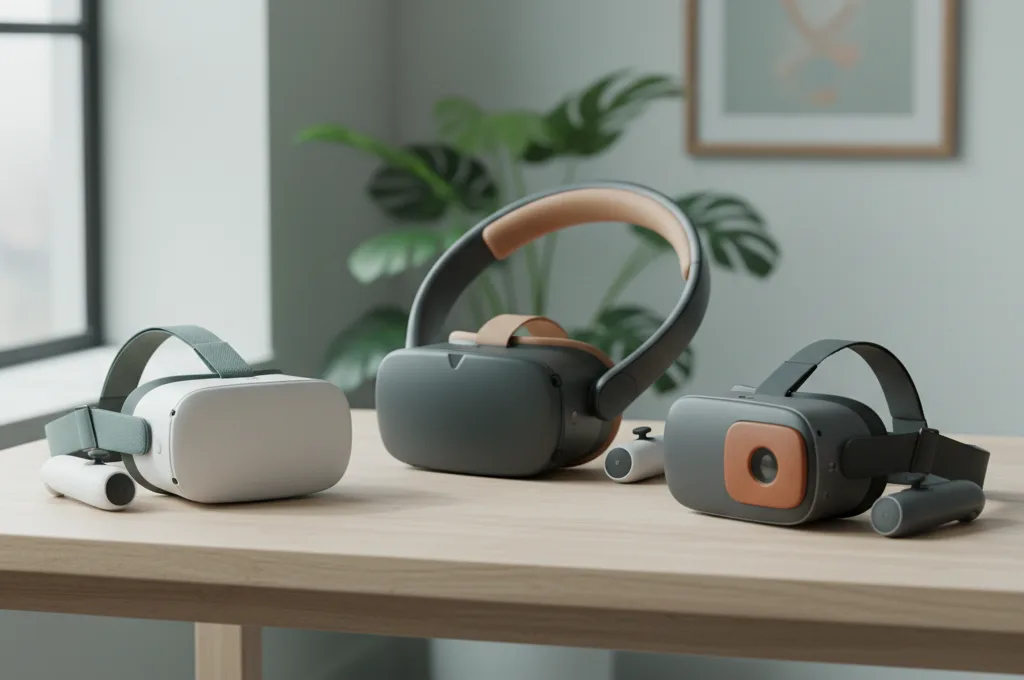
If you have ever pulled off a virtual reality headset feeling dizzy, sweaty, and nauseous, you are not alone. It is a terrible feeling. When that wave of nausea hits, it is completely natural to wonder if your hardware is to blame. You might be searching for the best vr headset for motion sickness, hoping that a hardware upgrade will fix the problem and let you play in peace.
Here is the short, honest answer: there is no single VR headset that "cures" motion sickness. Furthermore, there is no controlled, head-to-head scientific study proving that one specific brand is universally the least nauseating vr headset.
However, the hardware you choose does matter. What actually reduces your chances of feeling sick is not the logo on the front of the device. It is the specific hardware features: the refresh rate, the lens clarity, how you adjust the lenses to match your eyes, and the built-in software comfort options. Any modern headset that runs smoothly at 90Hz or higher, fits your face perfectly, and offers robust comfort settings can be a good choice—if you set it up correctly.
In this guide, we will break down exactly which hardware features matter for your stomach. We will look at how the Quest 3, PSVR2, and Valve Index handle vr headset motion sickness. Most importantly, we will show you how to configure whatever headset you buy so you can finally enjoy virtual worlds without feeling awful.
Why "Which Headset" Matters Less Than You Think
Before spending hundreds of dollars on new hardware, it helps to understand why virtual reality makes you feel sick in the first place. Cybersickness happens when your eyes tell your brain you are moving, but your inner ear tells your brain you are sitting perfectly still. This sensory conflict causes confusion, leading to disorientation, dizziness, and nausea.
Emerging / limited evidence. When it comes to comparing specific consumer headsets head-to-head for sickness, rigorous VR-specific evidence is limited. Studies rarely pit a Quest against a PlayStation VR under perfectly controlled conditions. Instead, we have to look at the underlying technology each headset uses.
We do know that simply putting a screen on your face increases your risk of nausea. Strong evidence. According to a 2024 systematic review (PubMed 39396266), head-mounted displays inherently cause more cybersickness than desktop VR. This is because headsets fill your entire field of view, create a stronger illusion of self-motion (called vection), use 3D stereoscopy, and introduce minor tracking delays.
Because the headset itself is the root of the sensory conflict, buying a more expensive model will not magically eliminate the problem. A $3,000 headset displaying a fast-paced rollercoaster game will still make a sensitive person sick. If you want to learn more about separating hardware myths from reality, check out our guide on what actually works to stop VR motion sickness.
The Hardware Specs That Actually Affect Comfort
If you are shopping for the best vr headset for motion sickness, ignore the marketing hype. Instead, look closely at these specific technical specifications. These are the factors that dictate how hard your brain has to work to process the virtual world.
Refresh Rate and Frame Stability
Moderate / practical. The refresh rate is how many times per second the screen updates with a new image. Frame stability is how well the headset maintains that rate without dropping frames. This is arguably the most important hardware metric for comfort.
If a headset has a low refresh rate, or if the game stutters, it creates "motion-to-photon latency." This means there is a tiny delay between you moving your head and the virtual world updating to match. Even a delay of a few milliseconds is enough for your brain to notice that something is wrong, which triggers nausea. You should look for a headset that can maintain a rock-solid 90Hz (90 frames per second) or higher. 120Hz is even better for fast-paced games.
IPD Adjustment (Interpupillary Distance)
Moderate / practical. IPD is the distance between the centers of your pupils. If the lenses in your VR headset do not line up perfectly with your pupils, the image will be slightly blurry. This forces your eye muscles to work overtime to focus, leading quickly to eye strain, headaches, and eventually nausea.
When shopping, look for a headset with a hardware IPD adjustment. This is a physical dial or slider that moves the actual lenses closer together or further apart. Software IPD adjustments (which just shift the image digitally on a fixed screen) are generally less effective at reducing eye strain.
Lenses and the "Sweet Spot"
Moderate / practical. The "sweet spot" is the area in the center of the VR lens where the image is perfectly sharp. Older headsets use Fresnel lenses, which have a very small sweet spot. If the headset shifts slightly on your face, or if you move your eyes to look at the edge of the screen, the image becomes blurry.
Newer headsets use "Pancake" lenses. These offer edge-to-edge clarity. Because you do not have to constantly move your whole head to keep things in focus, pancake lenses drastically reduce eye strain and disorientation.
Field of View (FOV)
Moderate / practical. Field of View is how much of the virtual world you can see at once. A wider FOV feels much more immersive, like looking through a window instead of a scuba mask. However, a wide FOV is a double-edged sword for motion sickness.
Your peripheral vision is highly sensitive to motion. A wider FOV means more movement is passing through your peripheral vision, which increases the illusion of self-motion (vection). Therefore, headsets with massively wide FOVs can actually trigger more nausea in sensitive users. An average FOV (around 90 to 110 degrees) is often a safer middle ground for beginners.
Weight, Balance, and Fit
Moderate / practical. A heavy headset pulling down on the front of your face causes neck strain. Physical discomfort makes you more susceptible to motion sickness. A headset that distributes weight evenly (often with a battery mounted on the back of the head strap) will help you stay comfortable during longer sessions.
Quest 3 Motion Sickness Profile
The Meta Quest 3 is currently one of the most popular headsets on the market. From a comfort perspective, it gets a lot of things right, making it a strong contender for the best vr headset for motion sickness.
First, it uses pancake lenses. The visual clarity is excellent, meaning your eyes do not have to strain to focus on text or distant objects. It also features a physical, stepless hardware IPD dial. You can dial in the exact millimeter distance between your eyes, which is crucial for preventing headaches.
The Quest 3 supports refresh rates of 90Hz and 120Hz, provided the game is optimized to hit those targets. Because it is a standalone headset (no wires), you can physically turn your real body around in your living room instead of using the controller joystick to turn. Moderate / practical. Physically turning your body matches your inner ear's expectations perfectly, completely bypassing the sensory conflict that causes nausea when turning via a joystick.
The main downside of the Quest 3 is its default head strap. It is a simple fabric band that puts most of the device's weight directly on your cheekbones and forehead. Many users find they need to buy an aftermarket "Elite" style strap to balance the weight properly.
PSVR2 Comfort Profile
The PlayStation VR2 (PSVR2) takes a different approach. It is powered by the PlayStation 5, which means it has the raw graphical horsepower to run highly detailed games at stable frame rates.
The PSVR2 uses OLED screens. This provides incredibly rich colors and deep blacks. However, some users report that OLED screens in VR can have a very slight "persistence" or motion blur when turning your head quickly compared to LCDs. It uses Fresnel lenses, meaning the visual "sweet spot" is smaller than the Quest 3. You have to ensure the headset is positioned perfectly on your face, or the edges will blur and cause eye strain.
One massive advantage for PSVR2 comfort is its halo-style head strap. It rests on the crown of your head rather than squeezing your face, making it very comfortable out of the box. It also features a hardware IPD dial.
Because the PSVR2 is tethered to a console by a cable, you are more likely to play seated or standing facing forward. This means you will rely on the controller joystick to turn your character. Seated cockpit games suit this setup well: in Gran Turismo 7's VR mode, the car around you acts as a steady visual anchor. To see which PlayStation games are easiest on the stomach, you can check our VR game comfort ratings.
Valve Index Motion Sickness Profile
The Valve Index is an older PCVR headset, but it remains a favorite among enthusiasts. When considering Valve Index motion sickness, the standout feature is its incredibly high refresh rate.
The Index can run at 120Hz and even 144Hz. If you have a powerful gaming PC that can actually deliver 144 frames per second without stuttering, the Index provides one of the smoothest, most latency-free visual experiences available. This extreme smoothness is excellent for keeping your brain comfortable.
However, the Index has a very wide Field of View (up to 130 degrees). As mentioned earlier, while this is incredibly immersive, it allows more visual motion to hit your peripheral vision. For some users, this wide FOV can actually increase feelings of vection and nausea. It is also a tethered headset, meaning you have to manage a heavy cable while playing.
(As a brief note on the ultra-premium end: The Apple Vision Pro offers staggering resolution and eye-tracking, which virtually eliminates visual blur. However, it is quite heavy, and the weight rests heavily on the front of the face, which can cause physical fatigue quickly).
How to Set Up ANY Headset to Minimize Nausea
Regardless of whether you choose a Quest 3, a PSVR2, or an Index, the hardware is only half the battle. How you configure the software settings will make or break your experience. If you are feeling unwell right now, you can use our severity check tool to gauge your symptoms.
To give yourself the best chance of staying comfortable, follow these setup rules every time you play:
- Measure your IPD perfectly. Do not just guess. Use a ruler or a free smartphone app to measure the exact millimeter distance between your pupils. Set your headset's hardware dial to match this number exactly.
- Turn on Comfort Vignettes. Many games offer a setting called "tunneling," "blinders," or "comfort vignette." This darkens the edges of your peripheral vision whenever your character moves; action games such as Assassin's Creed Nexus and Batman: Arkham Shadow include one. Strong evidence. A dynamic field-of-view restriction significantly reduced cybersickness in real commercial gameplay, according to a 2021 study by Teixeira & Palmisano in the journal Virtual Reality. Always turn this on if you are prone to sickness.
- Use Snap Turning and Teleportation. Never use smooth, continuous joystick turning if you feel sick. Strong evidence. Snap turning (where your view instantly snaps 45 degrees) and teleport-style movement cut sickness scores by about 40–50% in a controlled study by Farmani & Teather (2020, journal Virtual Reality). Some games, such as Vader Immortal and Walkabout Mini Golf, use teleport movement by default.
- Keep a fan blowing on you. Emerging / limited evidence. While rigorous VR-specific studies are limited, the VR community widely reports that having a physical desk fan blowing cool air on your face helps ground you in the real world and reduces nausea.
- Keep sessions short. Stop playing the exact second you feel warm, dizzy, or weird. Pushing through the pain will only make the sickness last for hours.
For a deep dive into every menu option you should change, read our complete guide to VR comfort settings.
The Bottom Line
If you are looking for the best vr headset for motion sickness, the truth is that your budget and your preferred gaming platform should guide your choice.
The Meta Quest 3 is fantastic because its pancake lenses reduce eye strain, and being wireless allows you to turn your real body instead of using a joystick. The Valve Index offers unmatched smoothness at 144Hz, provided your PC can handle it. The PSVR2 offers deep, rich colors and a very comfortable default head strap.
Ultimately, a headset cannot cure cybersickness on its own. The real secret to comfortable VR is buying a modern, 90Hz+ headset, dialing in your exact IPD, turning on comfort vignettes and snap turning, and taking off the headset the moment you feel dizzy. With patience and short, controlled sessions, your brain will eventually adapt. To learn more about this adaptation process, read our guide on how to get your VR legs.
When to see a doctor: If your dizziness, imbalance, or nausea lasts for days after taking off the VR headset, or if you experience these symptoms regularly without using VR, consult a medical professional. You may have an underlying inner ear or vestibular condition.
Frequently asked questions
Which VR headset is best for motion sickness?
Does a higher refresh rate reduce VR sickness?
Is Quest 3 or PSVR2 better for nausea?
Does a wider FOV cause more motion sickness?
Will a more expensive headset stop motion sickness?
This is general, evidence-based information, not medical advice. If dizziness or imbalance persists long after VR, or you have a known ear/vestibular condition, see a doctor.